Your Medical Coding
Side Panel
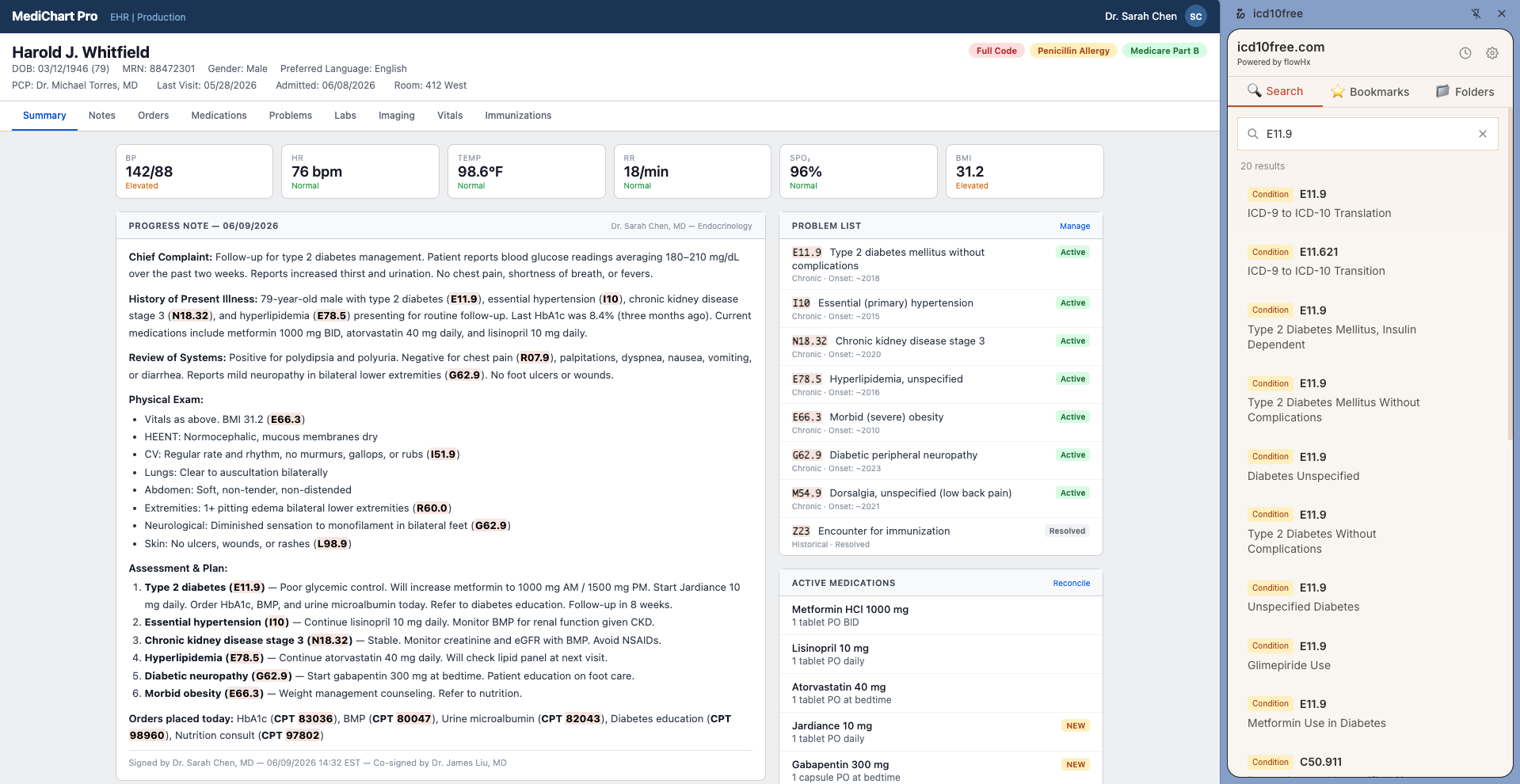
Search ICD-10 and CPT codes from a side panel beside your EHR. Auto-detect codes on any page. Hover for payment data. Bookmark folders. All free, no account needed.
Install the Extension
Visit the Chrome Web Store and click 'Add to Chrome.' The extension installs in seconds — no account creation, no email sign-up, no credit card. Pin it to your toolbar for one-click access.
Open the Side Panel
Press Cmd+Shift+O (Mac) or click the extension icon and select 'Open side panel.' A dedicated panel slides into view on the right side of your browser — next to your EHR, not covering it. Cmd+Shift+K jumps directly to the search box.
Search Without Switching Tabs
Type any ICD-10 or CPT code in the search box. Results load instantly with the code name, Medicare payment data, and billable status. Close the panel when you are done — it remembers your last tab when you reopen it.
Everything at Your Fingertips
The extension is built around one idea — getting you the code information you need without taking you away from the chart.
Side Panel
Search, bookmarks, detected codes, and history — all in one panel beside your EHR. No tab switching.
Auto-Detection
Every ICD-10, CPT, and HCPCS code on your screen is highlighted amber the moment the page loads.
Hover Tooltips
Hover any highlighted code to see the name, billable status, and average Medicare payment instantly.
Bookmark Folders
Save codes to color-coded folders. Access them from the side panel or the web app. Two clicks to save.
Copy Code Button
Every code in search results, tooltips, and the detected codes panel has a one-click copy button.
Detected Codes Panel
A dedicated tab shows every code found on your current page, with type badges and search/copy/locate buttons.
Search History
Your recent searches are saved automatically. Revisit a code you looked up ten minutes ago without retyping it.
Dark Mode
The side panel, popup, and options page all support dark mode. Follows your system preference automatically.
Curo
Take the Side Panel Into Your Workflow
If the side panel is part of your day, Curo keeps that work moving — automating documentation, eligibility, claims, appeals, and payments as an AI employee inside your operational systems.
Book a demoKeyboard Shortcuts Worth Memorizing
Two keystrokes replace twenty seconds of tab switching. Learn these four and your lookup time drops to zero.
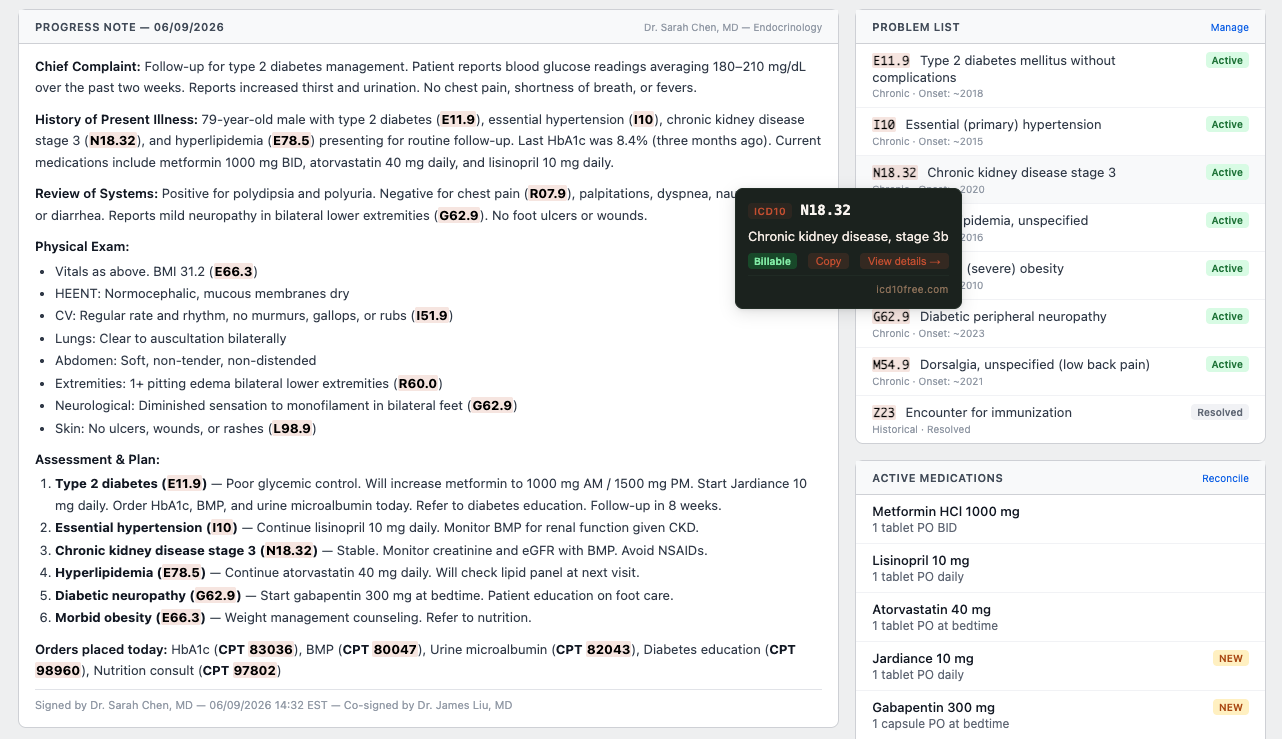
Auto-detection + tooltip
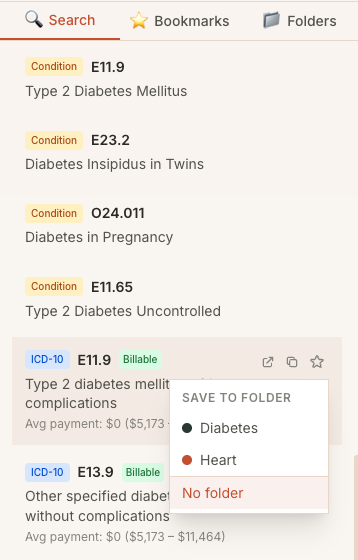
Bookmark folders
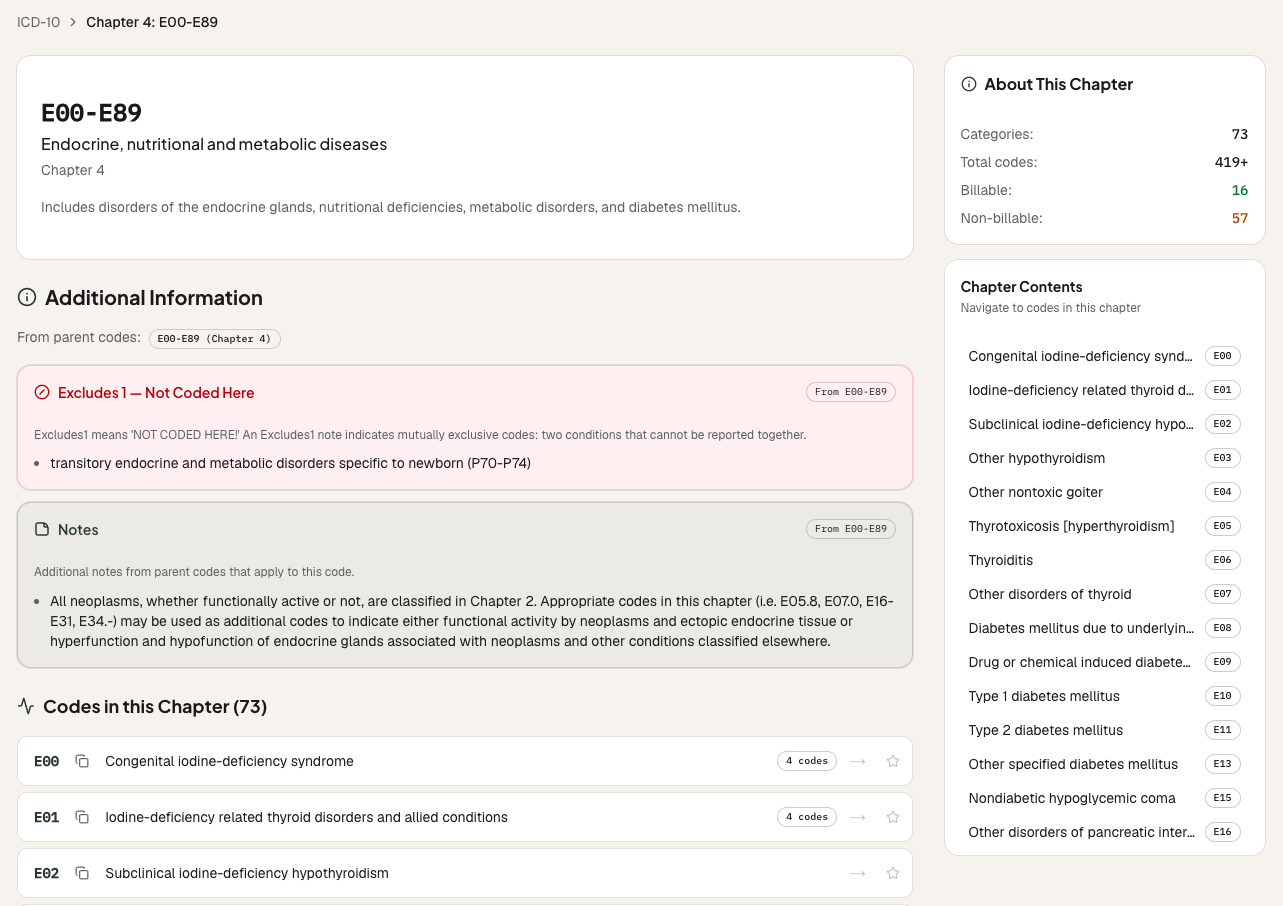
Code browser in side panel
Private by Design
The extension respects your privacy and your workflow. No accounts, no telemetry, no surprises.
No Account Required
Install and use without signing up. No email, no password, and no account profile is required.
No Cloud Sync
Bookmarks, history, folders, and settings stay in Chrome local storage. Search queries and hovered/looked-up codes are sent to the icd10free API to return code details.
100% Free
No rate limits, no pro tiers, no upsells. Every feature is available to every user, every day.
Works on Any Page
EHR portals (Epic, Cerner, Athena, eClinicalWorks), CMS websites, medical journals, chargemasters — any webpage in Chrome.
Frequently Asked Questions
What coders ask before installing.
Ready to Code Faster?
Install the extension and start using the side panel, auto-detection, hover tooltips, and bookmark folders — all free, no account needed.